Accurate Weather App PRO
CoocentWeather
4.542.00 Reviews
- Version
- 1.6.2
- Installs
- 10.00K
- Age Rating
- Everyone
Screenshots
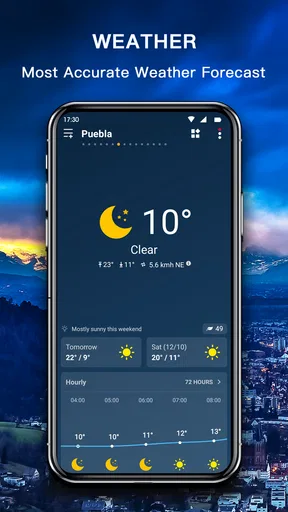
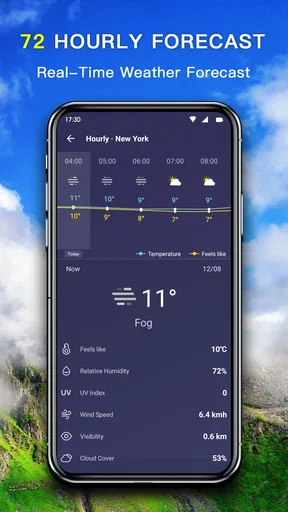
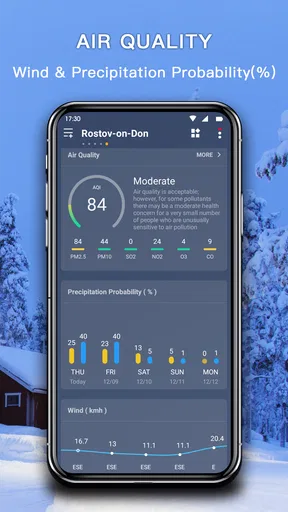
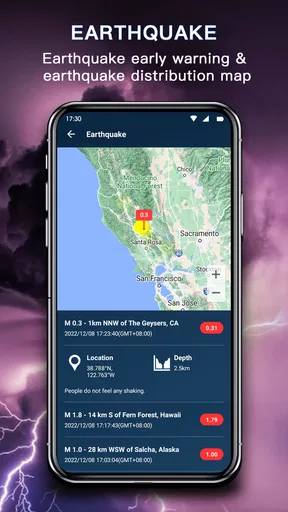
Our Review of Accurate Weather App PRO
 Analysis by Appyee
Accurate Weather App PRO is a weather app from Coocent that I found most interesting for one practical reason: it puts short-term conditions and severe weather warnings close to the center of the experience. That sounds simple, but it changes how I use a forecast. Instead of checking only whether the day will be warm or cold, I can look for the details that affect a decision in the next few hours, such as whether I should leave now, postpone an outdoor plan, or carry protection for changing conditions.
The app is aimed at everyday weather checking rather than replacing a specialist meteorological service. Its store summary focuses on hourly and daily forecasts alongside severe weather alerts, and that combination gives it a clear purpose. I see it as a tool for turning a forecast into a plan. The most useful question is not “What is the weather?” but “What does the weather mean for what I am about to do?”
Coocent released it on April 13, 2020, and the current version is 1.6.2. It is suitable for Everyone and works from Android 7.0 onward. The app has a 4.5 average from around 1.3 thousand ratings, with more than 10 thousand installs, so it has attracted a modest but noticeable audience. It costs $12.99, which immediately makes the decision more serious than downloading a free weather widget and forgetting about it.
Why hourly warnings matter more than another daily forecast
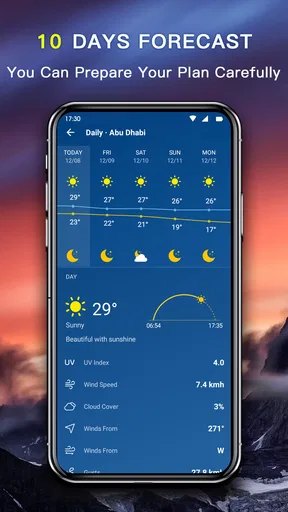
Daily forecasts are useful for broad planning, but they can hide the timing that matters. A day described as partly cloudy may still contain a difficult period of heavy rain. A warm afternoon may begin with uncomfortable conditions for a commute. Accurate Weather App PRO’s focus on hourly information gives me a better way to divide the day into manageable windows.
I especially like this approach when I have a fixed appointment but some flexibility around it. If I need to walk across town, I can compare the next few hours instead of reacting to the single symbol shown for the whole day. If the morning looks unsettled but the later hours appear calmer, I can shift an errand rather than cancel it. That is a modest improvement, but it is the kind of improvement I notice repeatedly.
The severe weather alert element adds another layer. A normal forecast helps with comfort; an alert can affect safety and timing. I would not treat an alert as a substitute for local official instructions, but having a warning visible in the same place as the regular forecast makes it harder to overlook a meaningful change. The app is most valuable when the forecast changes a decision, not when I am merely curious about the temperature.
There is also a useful mental shift here. I do not open the app expecting it to predict my entire day perfectly. I use it to identify uncertainty and possible disruption. That makes the hourly view more useful than a decorative weather screen, especially for people who travel on foot, work outdoors, care for children, or need to plan around changing conditions.
Reading the forecast as a planning tool
My preferred routine is to check the daily view first, then move to the hourly detail only when I have a real decision to make. The daily view gives me the overall shape of the day. The hourly view helps me decide when to act. This avoids spending time examining every forecast detail when all I need is a quick answer before leaving home.
For example, before a school run, I would check the next few hours rather than rely on the afternoon summary. If the weather looks acceptable at departure but more difficult around the return trip, that changes what I carry and how much time I allow. The same workflow works for a grocery trip, a dog walk, or a short bike ride.
One non-obvious advantage of this method is that it encourages me to check the forecast at the point of commitment. I may glance at the weather in the morning, but I check again before starting a longer journey. Forecasts are not promises, and the app becomes more useful when I treat it as a current planning reference rather than a once-a-day prediction.
I also find the severe alert focus helpful for reducing false confidence. A pleasant-looking daily summary can make me assume everything is settled. An alert-oriented weather app reminds me that unusual conditions deserve a separate look. That does not mean every warning will change my plans, but it gives me a prompt to reconsider them.
A realistic day with the app
Imagine I have arranged an outdoor lunch and need to travel there by public transport. In the morning, the daily forecast may suggest a generally comfortable day, so I can make a basic plan. Before leaving, I check the hourly view to see whether the journey and the lunch period fall inside the same weather pattern. If a warning appears, I would look more carefully at the timing and decide whether to leave earlier, take a different route, or move the plan indoors.
The important part is not that the app makes the decision for me. It gives me a compact way to connect weather information with a real schedule. I still need common sense, local awareness, and official guidance during dangerous conditions. But the app can reduce the friction of checking those conditions before I commit to the plan.
This is also where the app feels different from the default weather screen on a phone. A built-in widget is excellent for a quick glance, but I often find that quick glance too shallow when the day is changeable. Accurate Weather App PRO is better suited to the moment when I need to inspect the next part of the day rather than simply see a temperature.
Where it fits among ordinary weather alternatives
Most phones already include a weather service, and many people will be satisfied with it. If I only want the current temperature, a simple widget is faster and costs nothing extra. Search engines can also answer a basic weather question without requiring a dedicated app. Those options remain sensible for casual users.
Accurate Weather App PRO makes more sense when I value a focused weather workflow and want hourly and daily information together with severe weather alerts. Compared with a minimal widget, it encourages a more deliberate check. Compared with a general news or lifestyle app that happens to include weather, it keeps the forecast as the main task.
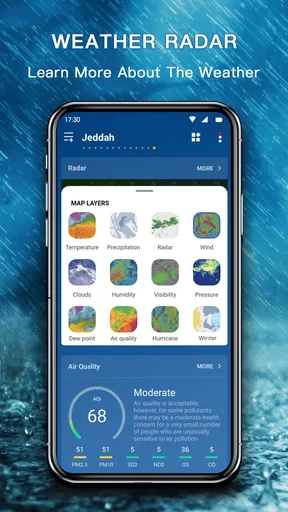
That focus is not automatically better for everyone. People who want radar maps, extensive climate history, detailed outdoor-sport tools, or a broad collection of location services may prefer a different weather product built around those features. I would not choose this app solely because its wording suggests accuracy. No forecast is perfect, and the right choice depends on whether its particular presentation matches the way I make plans.
The price is the biggest comparison point. At $12.99, it is not an impulse purchase for someone who checks the weather once a week. I would compare it with the free tools already on my phone before paying. The cost can be easier to justify for someone who depends on timely forecasts often, but casual users should be demanding about the value they expect from a paid weather app.
Small habits that improve the experience
My first tip is to use the daily forecast for orientation and the hourly forecast for action. Looking only at the daily summary can make a mixed day seem simpler than it is. Looking only at hourly details can make a quick check feel unnecessarily complicated. Combining both views gives me context without turning a routine decision into a long investigation.
My second tip is to check before leaving, not only after waking up. A forecast viewed several hours earlier may be useful for preparation, but the latest view is more relevant to a short trip. This is particularly important when the day includes an outdoor appointment or a journey with no easy shelter.
My third tip is to treat alerts as prompts for verification. If an alert matters to my route or activity, I would read the warning carefully and check official local advice rather than relying on a single app. That is not a criticism of Coocent; it is the responsible way to use any consumer weather application.
A fourth useful habit is to think in terms of consequences. A small change in conditions may not matter for a drive across town, but it could matter for a long walk, a child’s outdoor activity, or work in an exposed area. The app becomes more valuable when I connect the forecast to the specific risk or inconvenience I am trying to avoid.
The compromises I would consider before paying
The strongest limitation is not necessarily a missing feature; it is the challenge of judging whether this focused forecast experience is worth the price for me. A free alternative may already cover basic hourly and daily information. If my needs are limited, paying $12.99 could feel excessive even if the app is pleasant to use.
I would also avoid assuming that the word “accurate” means certainty. Weather changes, local conditions vary, and severe weather can develop quickly. The app can support a decision, but it cannot remove the need to reassess a plan. For genuinely dangerous weather, official emergency communications should take priority over any general-purpose app.
Another trade-off is attention. An alert-centered experience may be reassuring for a careful planner, but it could make an occasional user check the forecast more often than necessary. I prefer to use it with a specific purpose: deciding when to travel, whether to carry rain protection, or whether an outdoor plan needs a backup. That keeps the information useful instead of letting it become background noise.
The age rating of Everyone makes it suitable for a broad audience, including households that want a straightforward weather reference. Still, suitability does not mean every user will find it equally valuable. A family might appreciate checking conditions before school or activities, while a specialist user may quickly outgrow a general weather app if they need advanced professional tools.
Who gets the most from this app
I would recommend Accurate Weather App PRO most strongly to people whose plans are sensitive to timing. Commuters, walkers, parents organizing outdoor activities, delivery workers, travelers, and anyone who spends part of the day outside can benefit from seeing the weather hour by hour rather than accepting a single daily label.
It is also a good fit for someone who wants severe weather alerts visible alongside ordinary forecast information. That combination makes the app feel more purposeful than a temperature display. It supports a simple routine: check the day, inspect the relevant hours, notice any warning, and adjust the plan if needed.
I would be more cautious recommending it to someone who wants only a free glance at the current conditions. That person may be perfectly served by a phone widget or an existing weather service. I would also point specialist users toward alternatives if their main requirement is a technical map, long-range analysis, or activity-specific forecasting rather than a practical hourly and daily view.
For me, the app’s value depends on whether I use its information to make better-timed choices. The developer, Coocent, has kept the concept easy to understand: this is a weather app built around regular forecasts and warnings, not a full replacement for every meteorological tool. Its 4.5 average and more than 10 thousand installs suggest that the straightforward approach works for a meaningful group of users, but popularity alone should not decide the purchase.
My recommendation after using it as an everyday forecast
Accurate Weather App PRO is a focused option for people who want more context than a basic weather icon provides. Its strongest capability is the connection between hourly planning and severe weather awareness. In everyday use, that can mean fewer poorly timed walks, better preparation for changing conditions, and a quicker response when the forecast becomes more serious.
I would not describe it as an automatic choice for every Android user. The paid price makes comparison important, and casual users may find their existing weather tools sufficient. The app is a better match for someone who checks conditions regularly and wants a dedicated place to review the next few hours before making a plan.
My final view is positive but measured. Choose it for the planning habit, not for the promise of perfect prediction. If hourly and daily forecasts plus severe weather alerts address a real part of your routine, this app can earn its place on your phone. If you only need a quick temperature glance, save your money and use the simpler alternative already available to you.
Verdict
Strengths of Accurate Weather App PRO
- Detailed forecasts with hourly and daily weather information
- Clean interface makes essential conditions easy to check
- Useful weather data for planning travel and outdoor activities
- Supports multiple locations for monitoring weather worldwide
- PRO version offers an ad-free viewing experience
Limitations of Accurate Weather App PRO
- Some advanced features may require a paid subscription
- Forecast accuracy can vary by location and weather conditions
- The app may use significant battery with frequent updates
- Limited usefulness in areas with sparse weather-station coverage
- Some users may find the amount of data overwhelming
Similar Picks in This Category
View All
Weather - By Xiaomi
Xiaomi Inc.4.1

Weather & Radar Forecast
WetterOnline4.8

Weather
OneLouder Apps4.6

AccuWeather: Weather Radar
AccuWeather3.6

The Weather Channel - Radar
The Weather Channel4.6

1Weather Forecasts & Radar
OneLouder Apps4.3
Frequently Asked Questions
What is Accurate Weather App PRO, and what information does it provide?
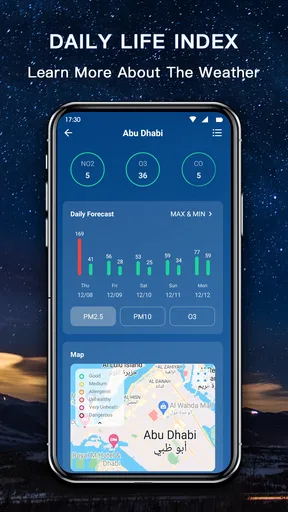
Accurate Weather App PRO is a weather application designed to provide current conditions, hourly forecasts, and extended daily predictions in a convenient interface. Depending on the selected location, it may display temperature, feels-like temperature, precipitation chances, wind speed, humidity, visibility, pressure, sunrise, and sunset times. Forecast availability and precision can vary by region and weather-data provider.
Does Accurate Weather App PRO require an internet connection or location permission?
An internet connection is generally required to download updated weather data, especially when checking forecasts for multiple locations. Location permission is optional but useful if you want the app to automatically show conditions for your current area. You can usually search for and save cities manually instead. If location access is disabled, the application may still work with selected locations, although automatic updates based on your position will not be available.
Is Accurate Weather App PRO free to download, or does it include paid features?
The availability of free and premium features depends on the version distributed through Google Play or the App Store. The PRO edition may be paid upfront, offered through an in-app purchase, or include features unavailable in a standard version. Before downloading, check the store listing for the current price, subscription terms, advertising policy, and whether purchases are tied to your platform account.
How accurate are the forecasts in Accurate Weather App PRO?
No weather application can guarantee perfect predictions because forecasts depend on changing atmospheric conditions, local geography, and the quality of the underlying data source. Accurate Weather App PRO can be useful for everyday planning, but short-term forecasts are normally more dependable than predictions several days ahead. For severe storms, flooding, fires, or other dangerous conditions, compare the app with official local weather alerts.
Does Accurate Weather App PRO support notifications, widgets, and multiple locations?
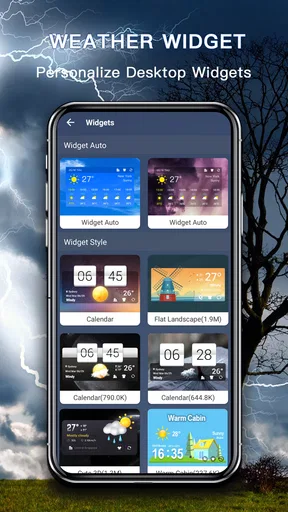
The app may offer practical tools such as severe-weather notifications, forecast reminders, home-screen widgets, and saved locations, but the exact selection can differ between Android and iOS versions. Review the in-app settings after installation to enable alerts, choose notification types, and manage battery or background-data usage. Some widgets or advanced customization options may require a compatible device or premium access.
